
Databuild to Buildertrend Migration – What Actually Changes and How to Get It Right
What Actually Changes, What Catches Builders Out, and What to Think About Before You Move
Over the last 12–18 months we’ve seen a real shift.
Established builders across Australia and New Zealand are actively exploring a move away from Databuild.
Some are frustrated with desktop limitations, others want stronger collaboration between office and site, or clearer financial visibility, and some are simply ready for something more modern.
We’ve supported a 16-franchise Databuild group in New Zealand through a full migration and worked with multiple larger Australian builders navigating the same transition.
What we do isn’t theory - it’s experienced project managers, guiding teams in one of the most difficult parts of business - Change Management.
This Isn’t a Data Transfer
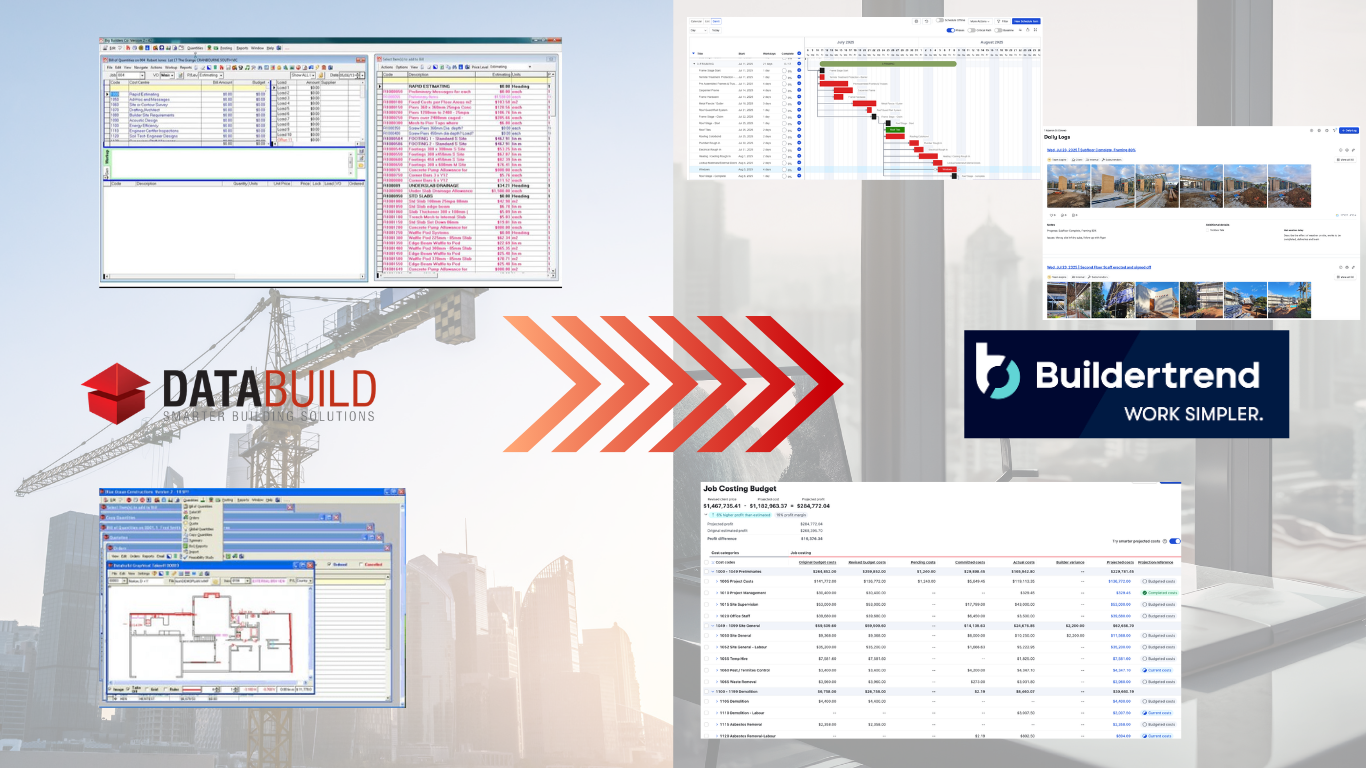
The biggest misconception is that this is about exporting data from Databuild and importing it into Buildertrend. It isn’t.
Databuild is an all-in-one environment. Estimating, cost centres, reporting and accounting controls sit inside the same contained system.
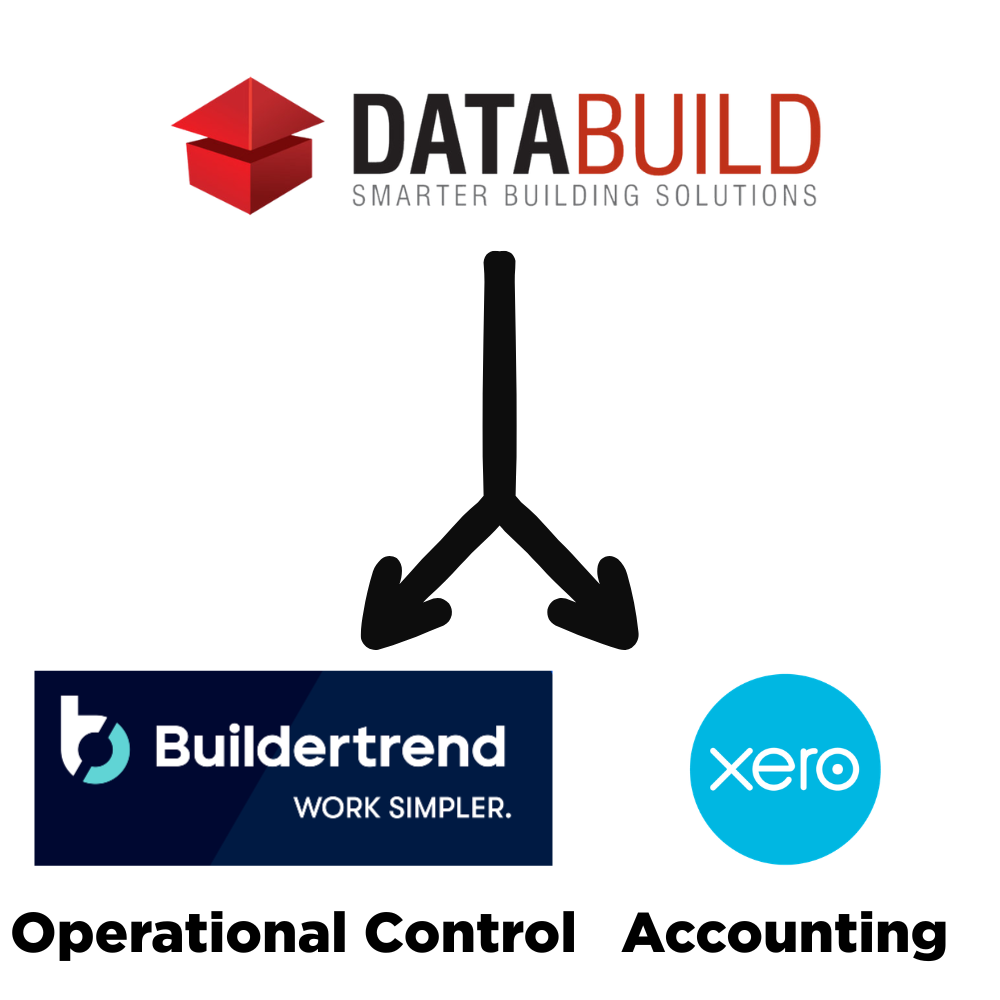
Buildertrend operates differently. It typically sits alongside Xero. It separates operational control from accounting control.
So what you’re really doing is moving from one contained ecosystem to a structure where:
Buildertrend manages project flow
Xero manages accounting
Cost codes influence reporting behaviour
Information moves more visibly across teams
That shift forces conversations most businesses haven’t had in years.
We’ve seen growth mask inefficiencies. Systems “worked”, but nobody had stress-tested them against expansion.
Going through an implementation brings those blind spots to the surface. In more than one case, it was the first time office and site teams properly unpacked what was and wasn’t working.
That alone changed the direction of the business.
What a Structured Migration Actually Looks Like
When this works well, it’s because the business designed its future structure before touching the software.
-
For most builders, this means getting Buildertrend and Xero working cleanly together.
That involves aligning:
Chart of Accounts
Products and Services
Vendor and subcontractor contacts
Payables and receivables workflows
Labour rate logic
Budget configuration
Reporting validation
Testing with real purchase orders and live invoices matters.
Contact data alone can take serious time to clean. Years of duplicated suppliers and inconsistent naming don’t fix themselves.
If this stage is rushed, reporting issues usually show up months later, not immediately.s here
-
Databuild users are comfortable with how estimating behaves today.
Buildertrend introduces a different lifecycle. Items move across proposals, presales, budgets, purchase orders, variations and reporting.
This stage often includes:
Aligning your sales pipeline
Rebuilding proposal and tender templates
Designing structured estimation templates
Supporting external estimating data
Building selections databases
Restructuring catalogue items
Ensuring estimates tie cleanly to cost codes and budgets
This is where “we’ve always done it this way” conversations surface.
That’s healthy.
In several larger businesses we’ve worked with, this was the first time the office and site teams had properly sat down together and unpacked what was breaking down operationally.
The implementation wasn’t about new software. It was about fixing information flow.
-
Once financials and estimating are aligned, workflow becomes visible.
This often includes:
Schedule templates
QA checklists
Task workflows
Daily Logs training
File management structure
Client portal setup
Variation and change order redesign
Prime Cost and Provisional Sum visibility
Warranty and close-out structure
We consistently see communication improve when this is done properly.
Supervisors can see approvals clearly. Office teams see what’s been actioned. Information stops sitting in inboxes. This clarity across the system reduces friction.
-
This is usually underestimated.
Key decisions include:
How many open jobs move
Whether budgets are rebuilt or migrated
How WIP is handled
Where you sit in your accounting quarter
What historical data actually needs to come across
Migrating too many jobs at once overwhelms supervisors, and moving mid-BAS quarter without planning creates reconciliation stress.
This stage is as much about operational timing as it is about software.
Change Management Matters More Than Most Builders Expect
Databuild has often been part of a business for 10–20 years. It’s familiar.
Moving to Buildertrend and Xero changes:
Information flow
Ownership boundaries
Visibility across teams
Reporting structure
For some people, that’s energising. For others, it’s uncomfortable.
The transition works best when:
Management clearly backs the move
The reason for change is explained properly
Accountants are involved early
Supervisors understand how it helps them
Everyone expects a short adjustment period
There will be turbulence. That’s normal.
Handled deliberately, the migration becomes a reset point for the business. Handled poorly, it feels like disruption without direction.
Resistance usually isn’t about skill. It’s about uncertainty.
Frequently Asked Questions
Still have questions? Take a look at the FAQ or reach out anytime. If you’re feeling ready, go ahead and apply.
-
There isn’t a clean one-click migration where everything transfers across perfectly.
Some data can be exported and reshaped. Some needs to be rebuilt intentionally. And some historical information is better left where it is.
The more important question is usually not “can we move everything?” but “what do we actually need inside Buildertrend to run properly going forward?”
In most cases, rebuilding structure properly delivers better long-term results than blindly importing legacy habits.
-
Yes, but it needs to be staged properly.
You need to decide:
How many open jobs are moving
Whether budgets are rebuilt or migrated
How variations are handled
Where you are in your accounting quarter
How WIP is treated
What financial data actually needs to come across
Moving too many live jobs at once creates pressure. Moving without thinking about accounting timing can create reconciliation headaches.
This part is less about technology and more about planning.
-
They are not the same thing.
Cost centres in Databuild behave in a way long-term users instinctively understand. Cost codes in Buildertrend drive budgeting, reporting, and financial sync differently, especially when integrated with Xero.
Many Databuild users initially try to mirror cost centres exactly. That’s usually where confusion begins.
There needs to be a shift from “how we’ve always grouped things” to “how we want reporting to behave moving forward.”
-
Operationally, yes.
Financially, not exactly.
Buildertrend typically becomes your project management and estimating platform. Xero becomes your accounting platform.
Instead of one contained system doing everything, you move to a structure where each platform has a defined role. When designed properly, that separation actually increases clarity rather than creating fragmentation.
-
It depends on:
Team size
Number of live jobs
Complexity of your estimating
How clean your financial data is
How aligned your team is
For smaller office teams, it may take 10-12 weeks.
For larger teams or franchise structures, it can stretch over several months.The timeline is rarely driven by software setup. It’s driven by internal alignment and process design.
-
You won’t lose it, but you may not replicate it exactly inside Buildertrend.
Many builders keep Databuild accessible for historical reference while building cleaner reporting structures moving forward.
Trying to perfectly recreate legacy dashboards often locks you into the same constraints that prompted the move in the first place.
A migration is usually an opportunity to simplify reporting, not duplicate it.
-
The most common issues we see aren’t technical. They’re structural and behavioural.
Rushing the financial integration
If the connection to Xero isn’t mapped, tested, and validated properly, problems show up later in reporting and reconciliation.Not cleaning up data before it’s migrated
Old contacts, duplicated suppliers, inconsistent naming conventions – if that clutter gets moved across, you’re rebuilding the same mess in a new system.Trying to design future reporting around historic constraints
Databuild had its own structure and limitations. If you attempt to recreate those constraints inside Buildertrend instead of rethinking how reporting should behave going forward, you limit the upside.Not having the whole team on board
If your accountant has used Databuild for 20 years, that system feels safe. Learning something new can feel disruptive. Without management clearly backing the transition and supporting the team through it, resistance can quietly build.Expecting everything to be perfect on day one
There will be turbulence. There will be moments where something doesn’t behave exactly as expected. That’s normal.
The businesses that navigate it best expect adjustment and make sure they’re supported through that period rather than pushing through alone.
-
You’re usually ready if:
You’ve seen a properly structured Buildertrend environment in action
You understand what will change operationally
Your accounts team is aligned
You know how many jobs you plan to migrate
You’ve considered accounting quarter timing
If the move is driven purely by frustration without clarity on structure, it’s worth slowing down and mapping it properly first.